
New features
-
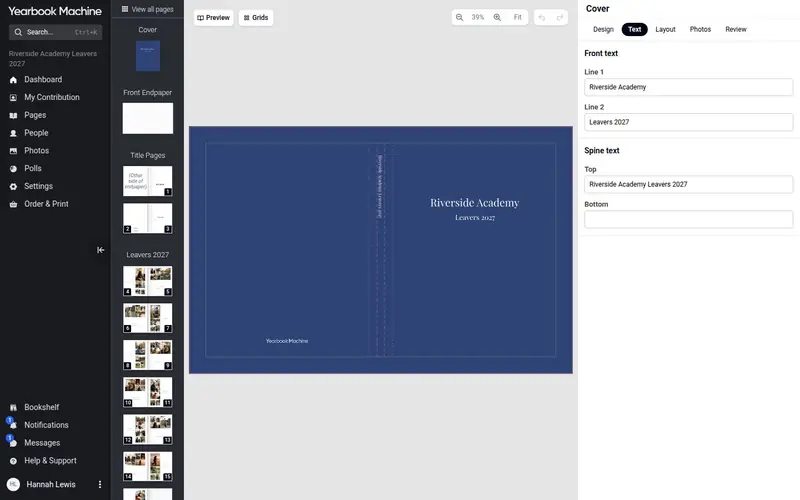 The new cover designer, with a 3D preview
The cover now opens in the same editor as your pages, with all twelve of our cover designs, your own photos and text, and a 3D preview of the finished book.
-
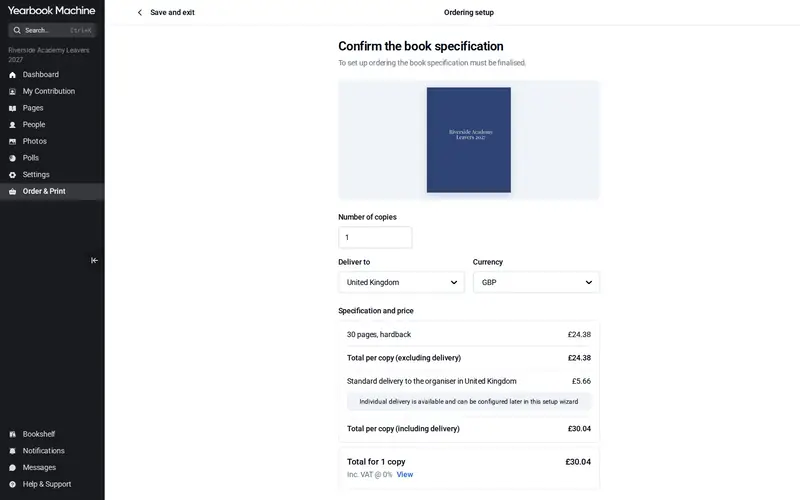 Order from just one copy
The 10-copy minimum has gone for hard and soft cover books on our current price list. A yearbook can now be ordered from a single copy.
-
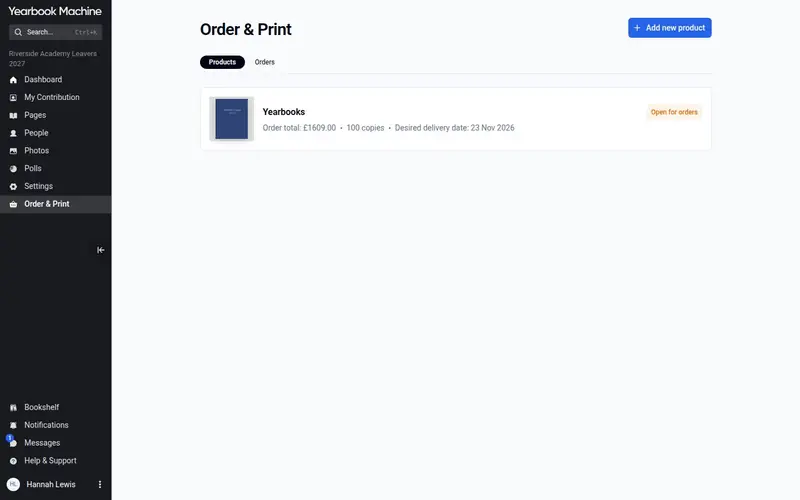 Order & Print, and a shop that opens the moment you are ready
Ordering, payment, proofs and printing now live in one place, Order & Print. Set up your order step by step, and if you choose a storefront it opens as soon as you confirm.
-
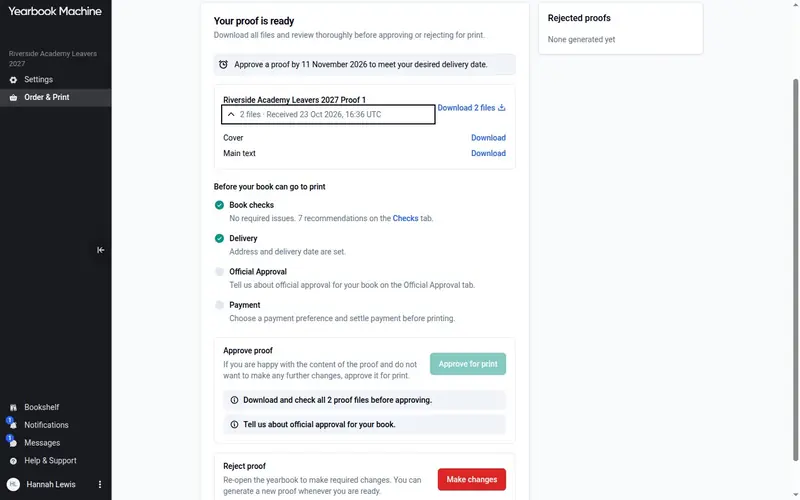 Make your own proof in minutes
There is no more submitting the book and waiting days for a proof. Check your book, generate a proof PDF yourself in minutes, and approve it for print when you are ready.
-
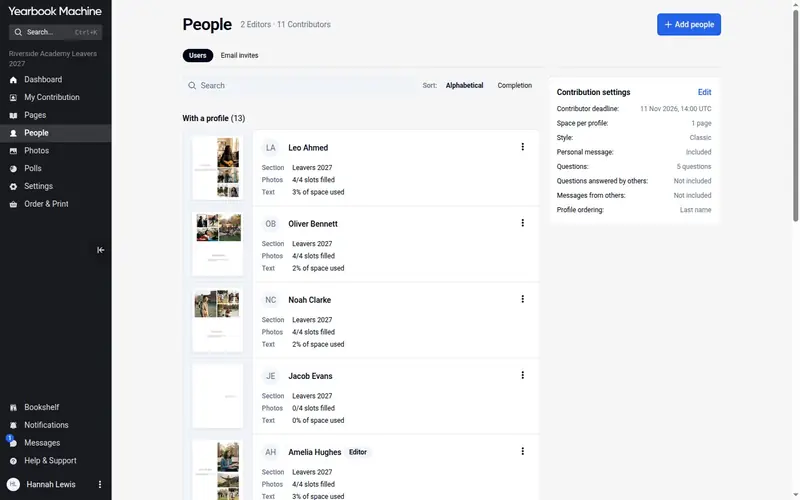 The new People page, and personal invitations
The People page has been rebuilt to show how each contributor is getting on, and invitations can now carry your own message.
-
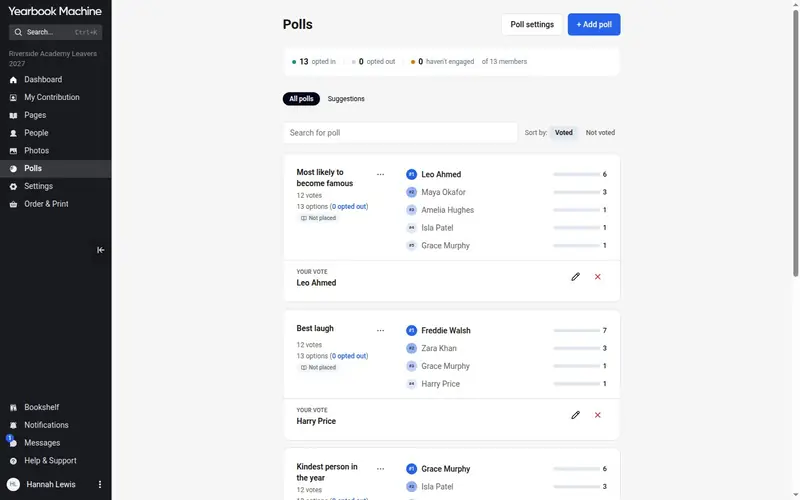 Polls rebuilt: couple polls, opting in, and poll pages that fill themselves
The Polls page has been rebuilt. It adds “Pick 2 people” couple polls, asks contributors to opt in before they can be voted for, and fills in the polls pages in the book by itself.
-
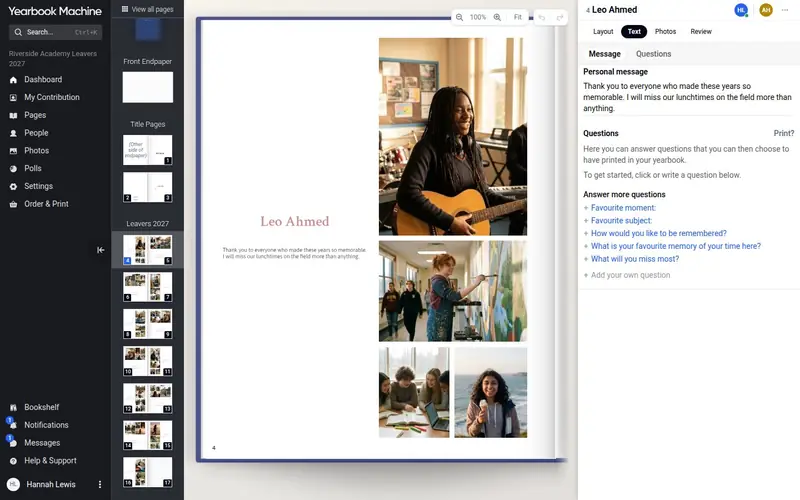 Work on the same page together, live
In the new editor several people can work on the same page at the same time and see each other’s changes appear as they make them.
-
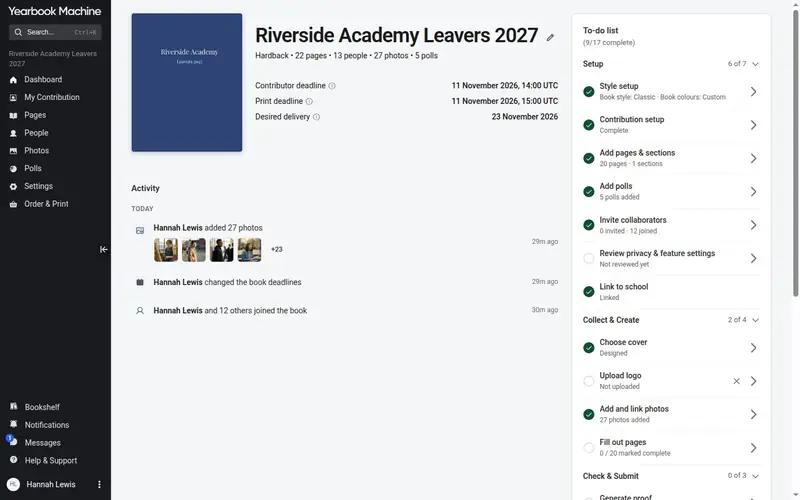 The new Book Dashboard and to-do list
Every book now has a Dashboard with its key dates, recent activity and a to-do list that takes editors from set-up to ordering.
-
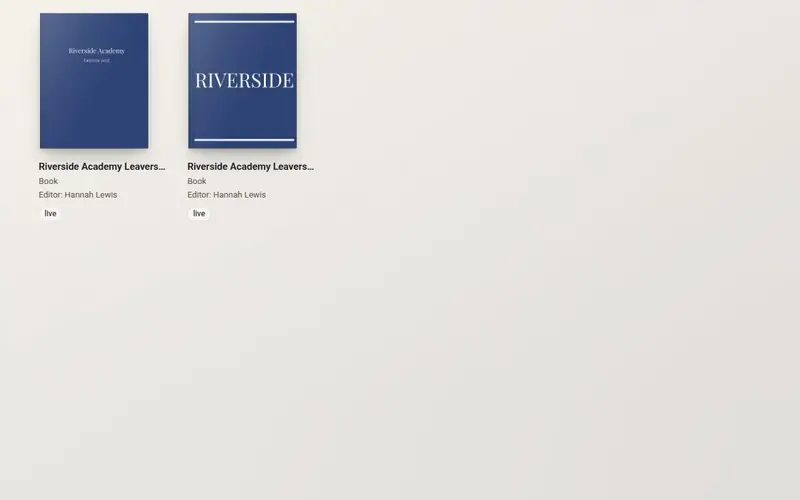 One account, all your books: the Bookshelf
Your account now holds every book you work on. Sign in once, see them all on your bookshelf, and start a new book without making a new account.
-
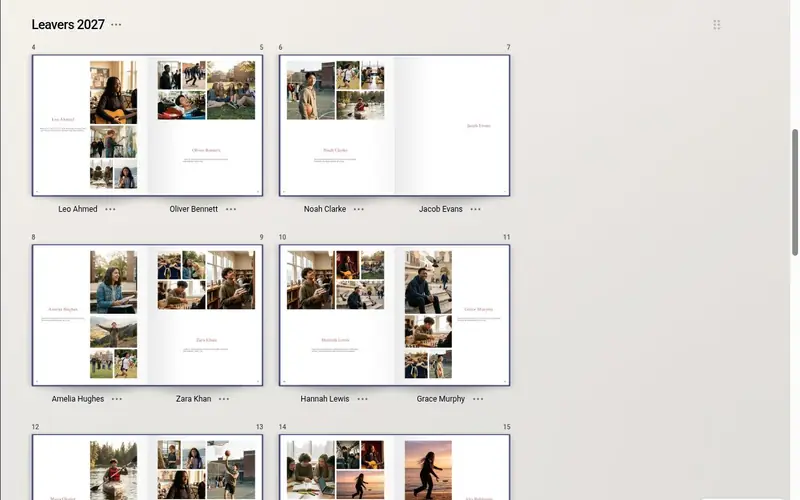 A bigger book: 203 × 254 mm
Every yearbook started from August 2026 is 203 × 254 mm, nearly 4 cm wider than before, with new page designs made for the larger page.
-
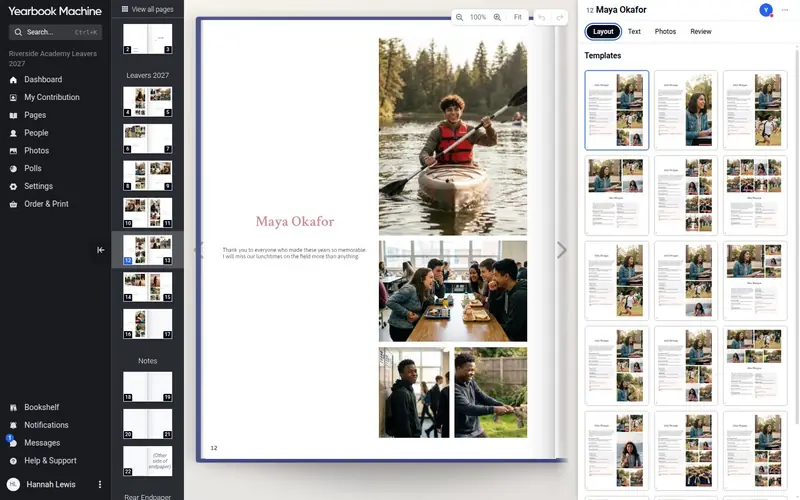 The new editor: what you see is what prints
Every new yearbook now uses our new editor. You work directly on the real page, drawn exactly as it will print, with free design tools whenever you want them.
-
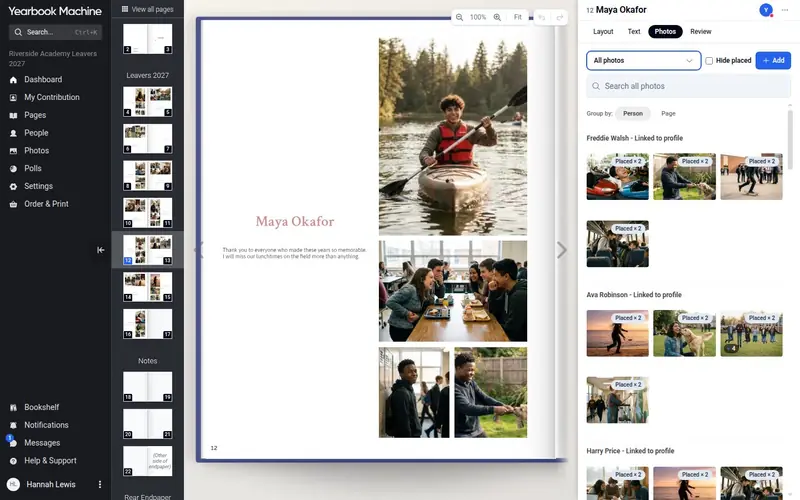 A smarter photo tray: hide placed photos, spot duplicates and see who liked each photo
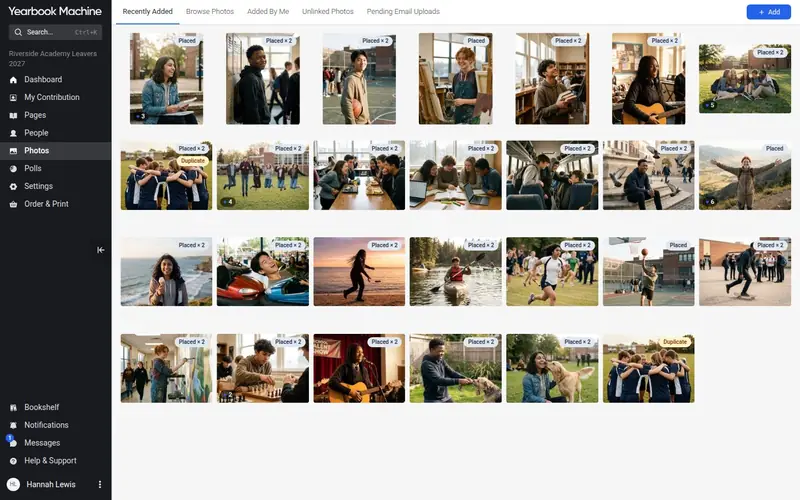
The photo tray now knows about the whole book: it hides photos you have already used anywhere and flags photos uploaded twice.
-
 A new photo library, and placing several photos at once
One photo library now serves both the Photos page and the editor. You can also choose several photos, place them together and let the editor fill the empty frames.
-
 A new Pages screen: drag pages in and rearrange whole sections
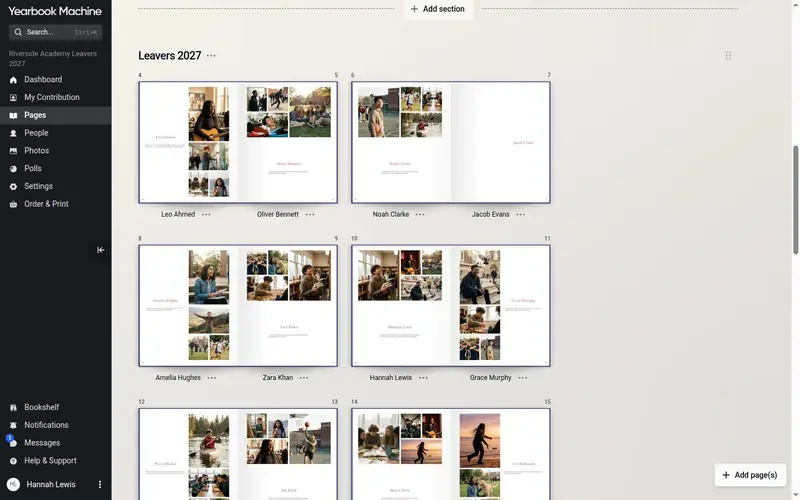
The Pages screen now shows your book as real spreads. Add a page by dragging it to the exact spot you want, and move whole sections by dragging them.
-
 Introducing…. Storefronts
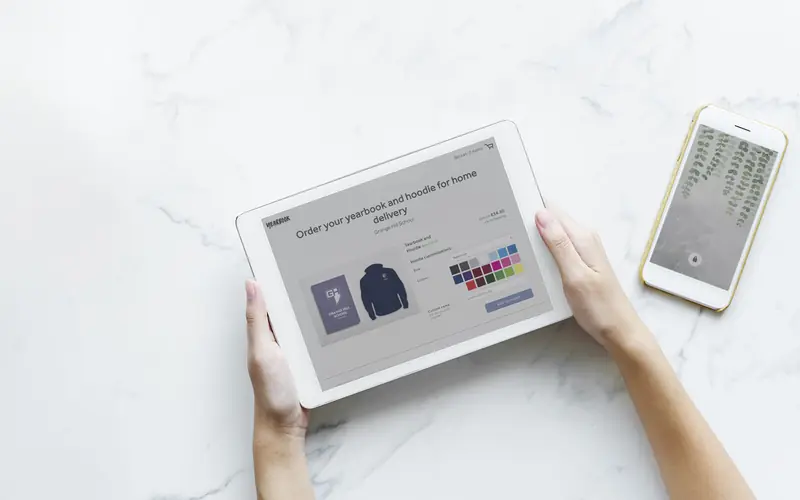
Introducing storefronts, a new checkout link where students, parents or teachers can pay for their own yearbook and hoodie order.
-
 Introducing our new cover editor! Time to get creative…
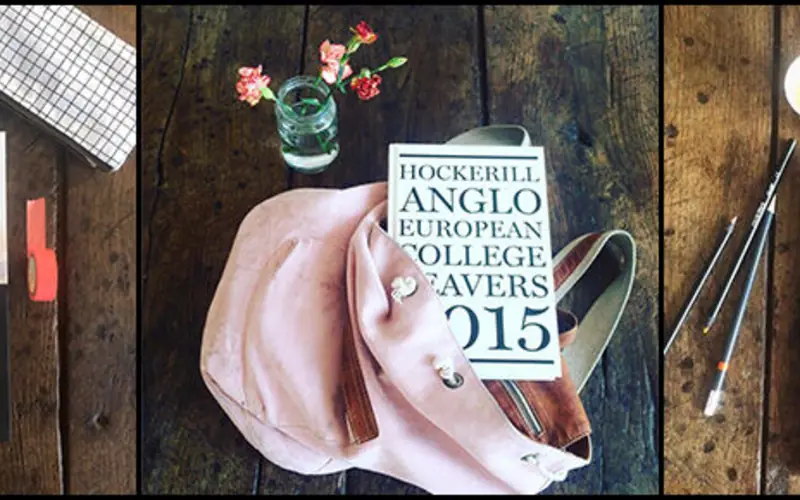
Yearbook Machine's new cover editor moved cover design into the Page Manager, making it faster to customise leatherette, foil-stamped and photo covers.
-
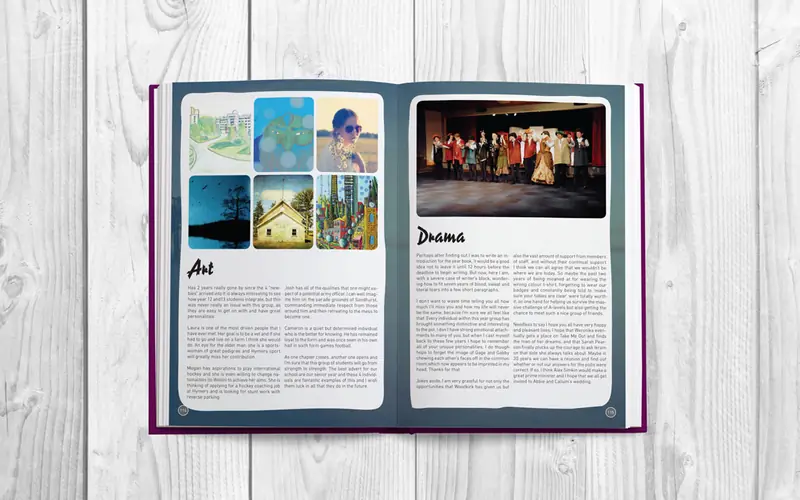 The Genuine Article
Yearbook Machine's Article Page feature became fully self-service in 2016, letting editors build professional pages themselves.
-
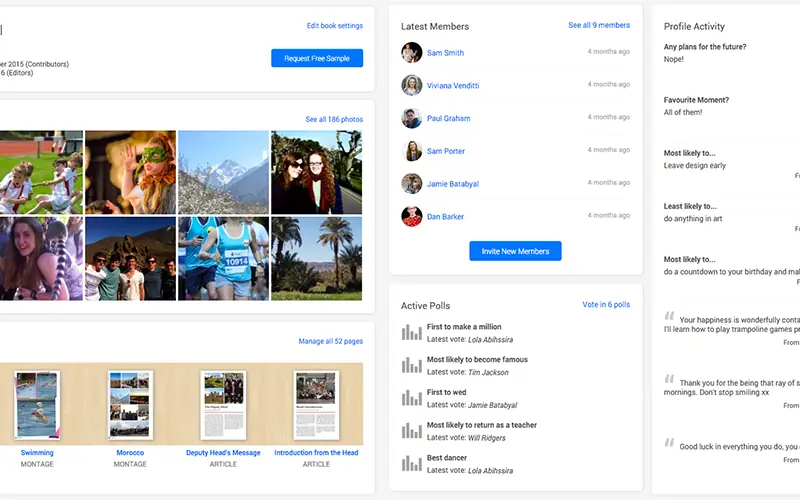 What’s new? The dashboard will tell you…
A tour of the new Yearbook Machine dashboard, the screen editors land on to see recent photos, active polls and profile activity at a glance.