Polls rebuilt: couple polls, opting in, and poll pages that fill themselves
The Polls page has been rebuilt. It adds “Pick 2 people” couple polls, asks contributors to opt in before they can be voted for, and fills in the polls pages in the book by itself.
Polls are one of the most-read parts of any yearbook. This month we rebuilt them from the ground up.
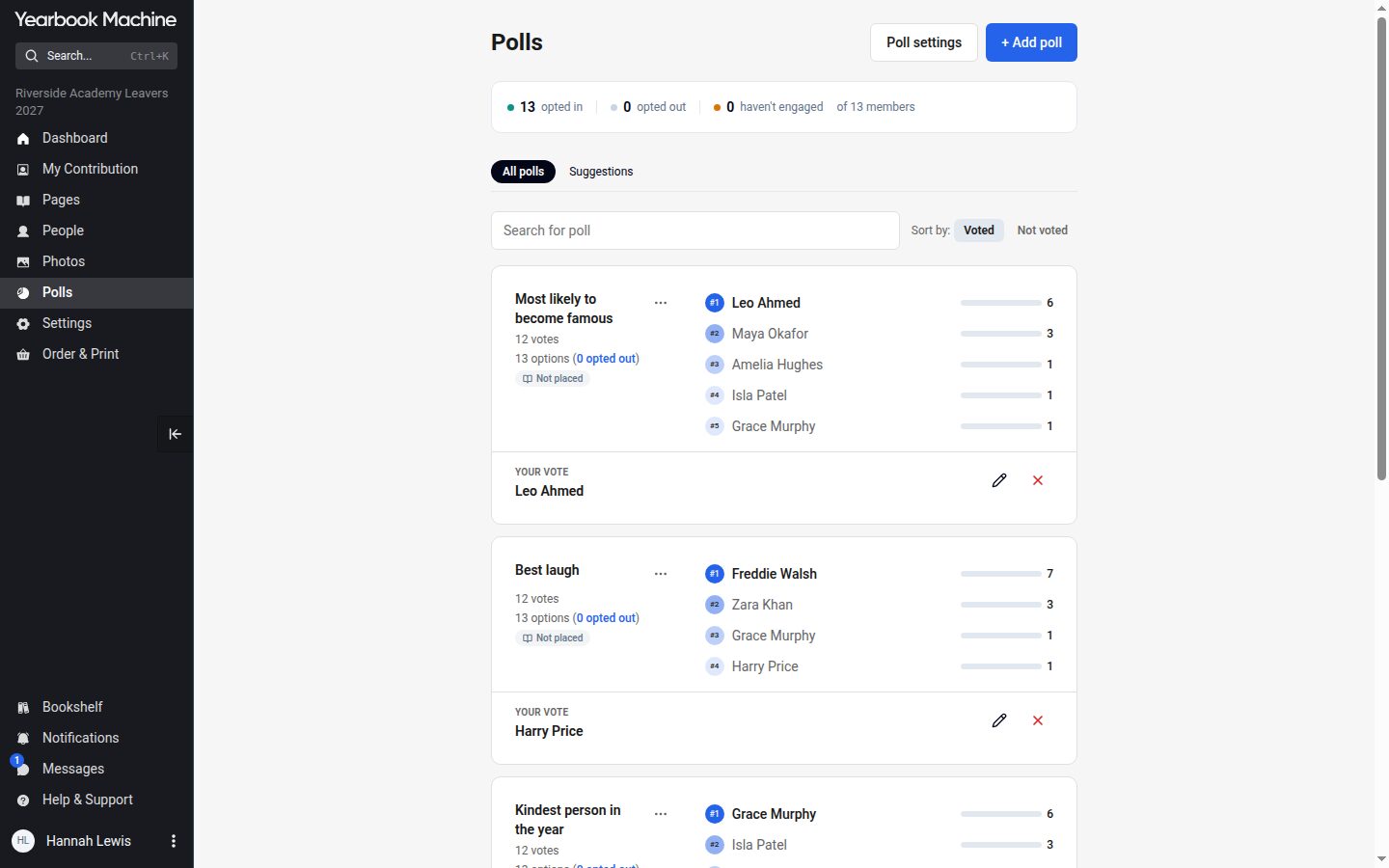
A new Polls page
The Polls page is now a screen of poll cards that you can search and sort by whether you have voted. Contributors vote straight on the card by searching for a name.
Couple polls
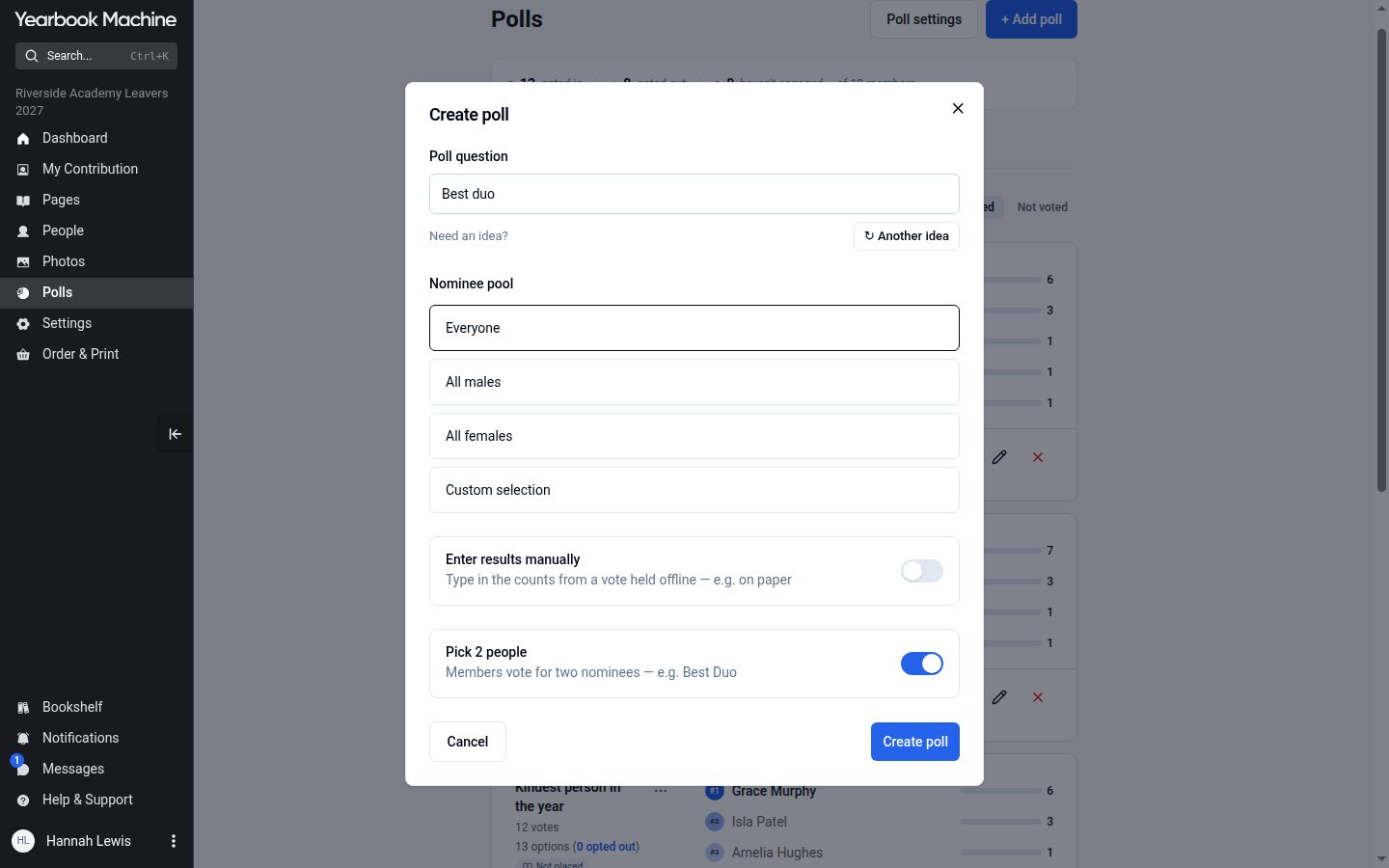
"+ Add poll" now has a "Pick 2 people" option for polls such as "Best couple", where each voter chooses two people.
Opting in
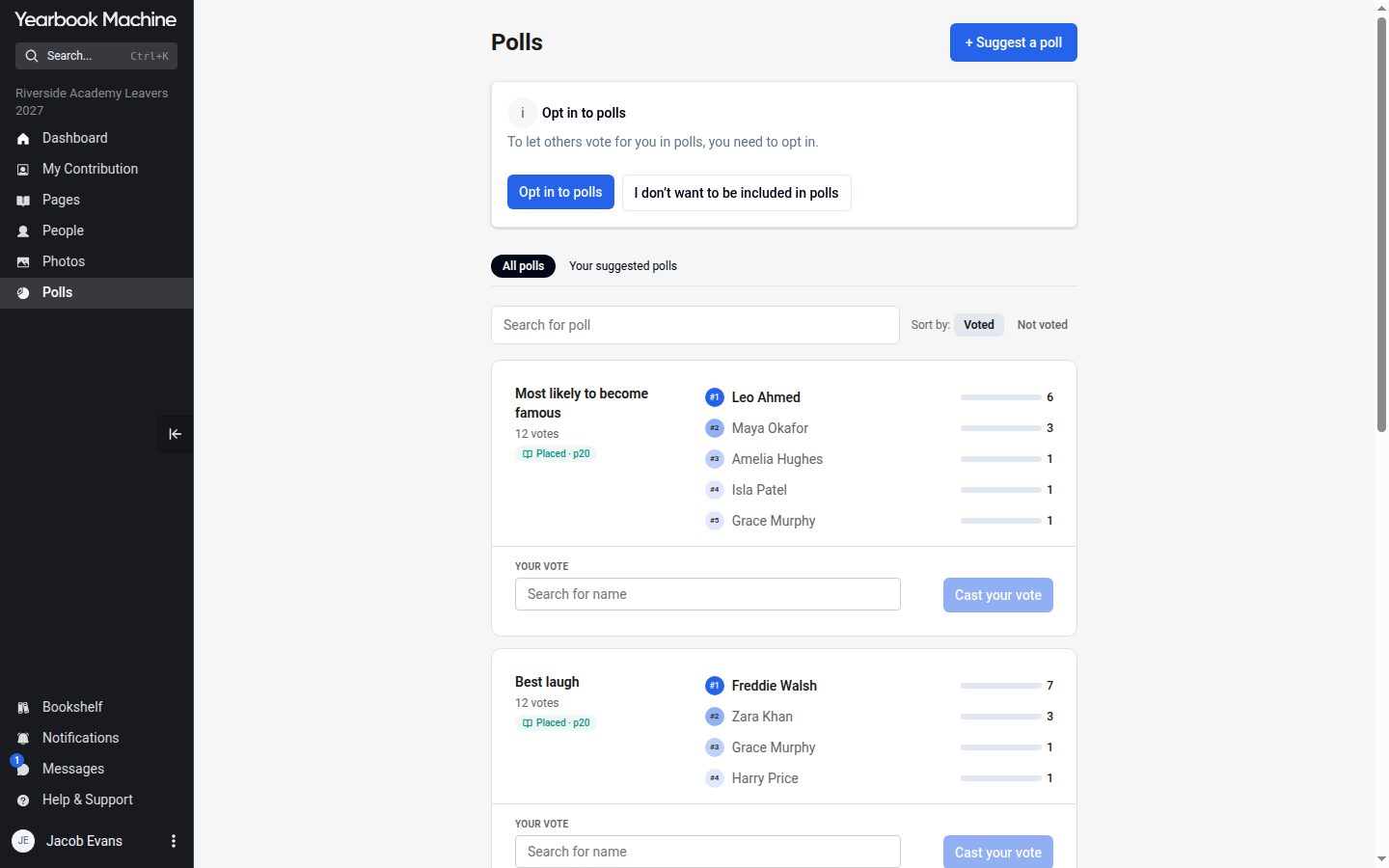
Being in the book no longer puts you on every ballot automatically. Contributors are asked whether they want to be included, and only those who press "Opt in to polls" can be voted for. Anyone who would rather stay out can say so, and can change their mind later in My Contribution.
Contributors can also suggest polls. Editors approve, reject or edit each suggestion, and the contributor can see what happened to it.
Polls pages that fill themselves in
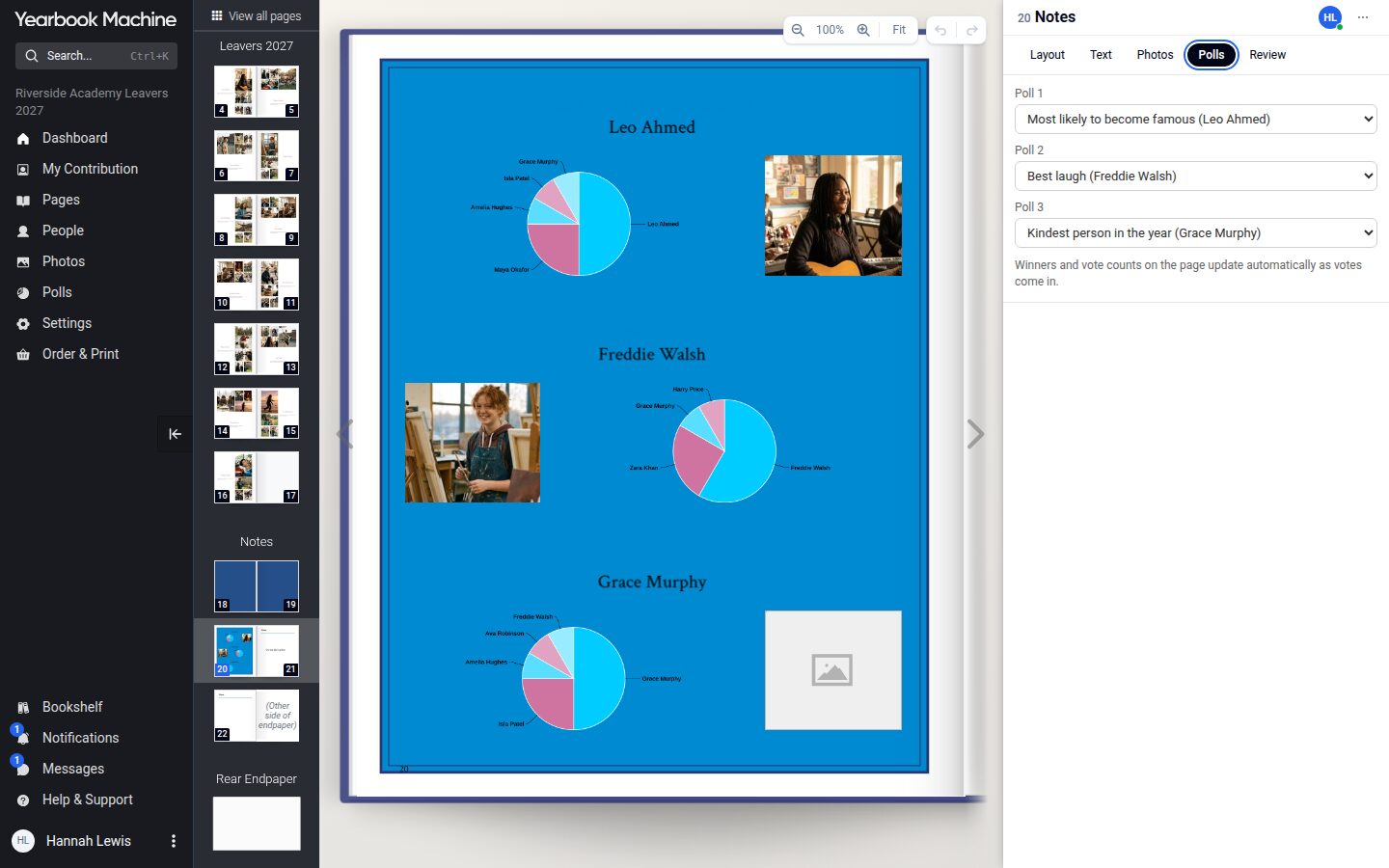
In the old system, polls pages were finished by our team after the book was submitted. In the new editor each panel on a polls page shows the poll's title, the winner, the runners-up and a results chart in the book's colours, and it updates as votes come in. Choose which poll goes in each panel from the page's Polls tab.