
The new editor: what you see is what prints
Every new yearbook now uses our new editor. You work directly on the real page, drawn exactly as it will print, with free design tools whenever you want them.
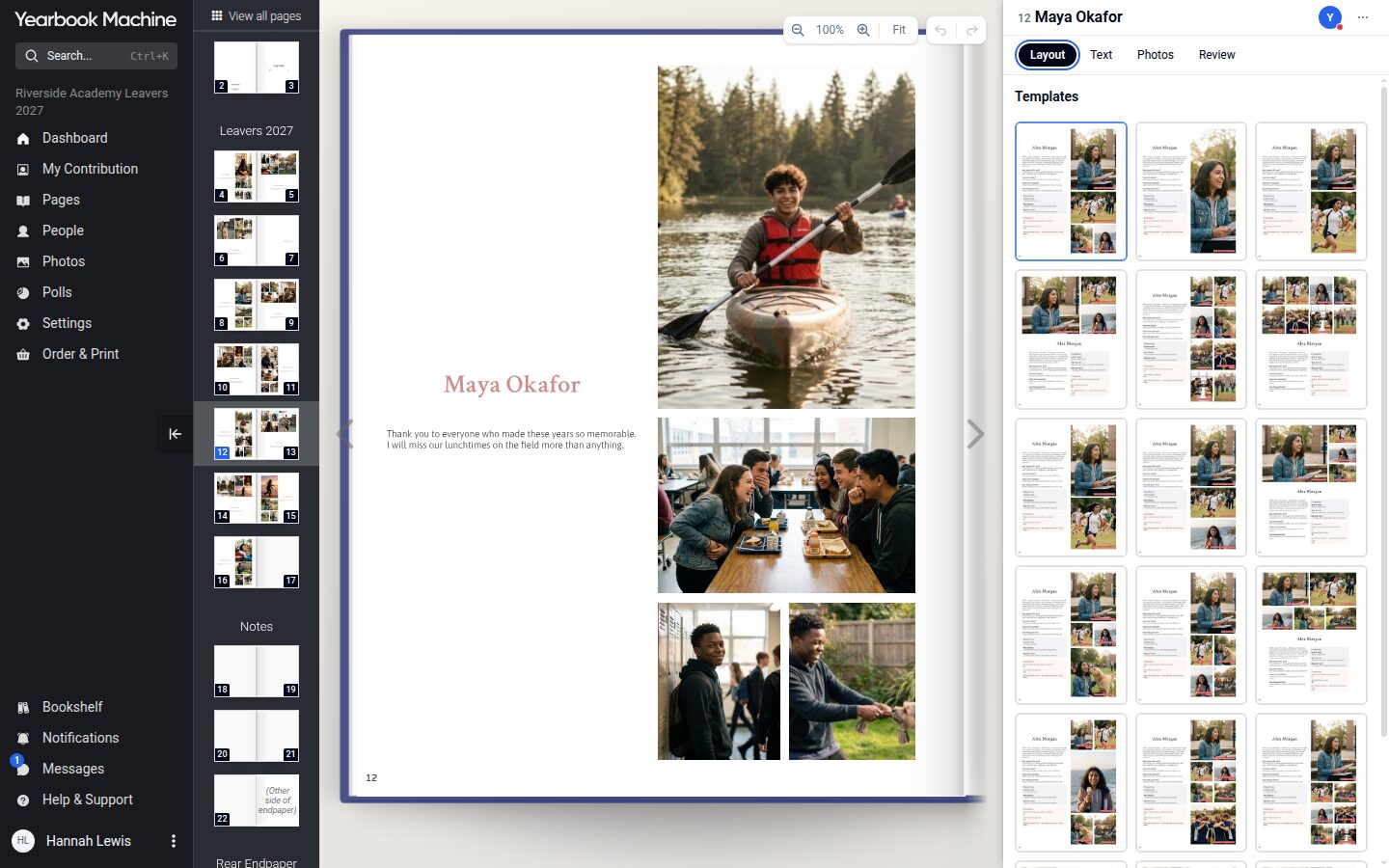
From today, every new yearbook is made in our new editor. It is the biggest change to Yearbook Machine since we started, and it changes how a book comes together.
Edit the real page
In the old editor, the page you saw was a picture drawn later by our server, and you only saw the finished layout properly in a draft PDF or a proof. In the new editor you work directly on the page, which is drawn in your browser exactly as it will be printed. Your proof is made by the same engine as the print files, so there are no surprises between the screen and the finished book.
Ready-made designs, or your own layout
Each page starts from a ready-made design: fill its photo frames and text, and the page looks finished straight away. When you want more freedom, switch the page's layout mode and you can move, resize and add anything you like.
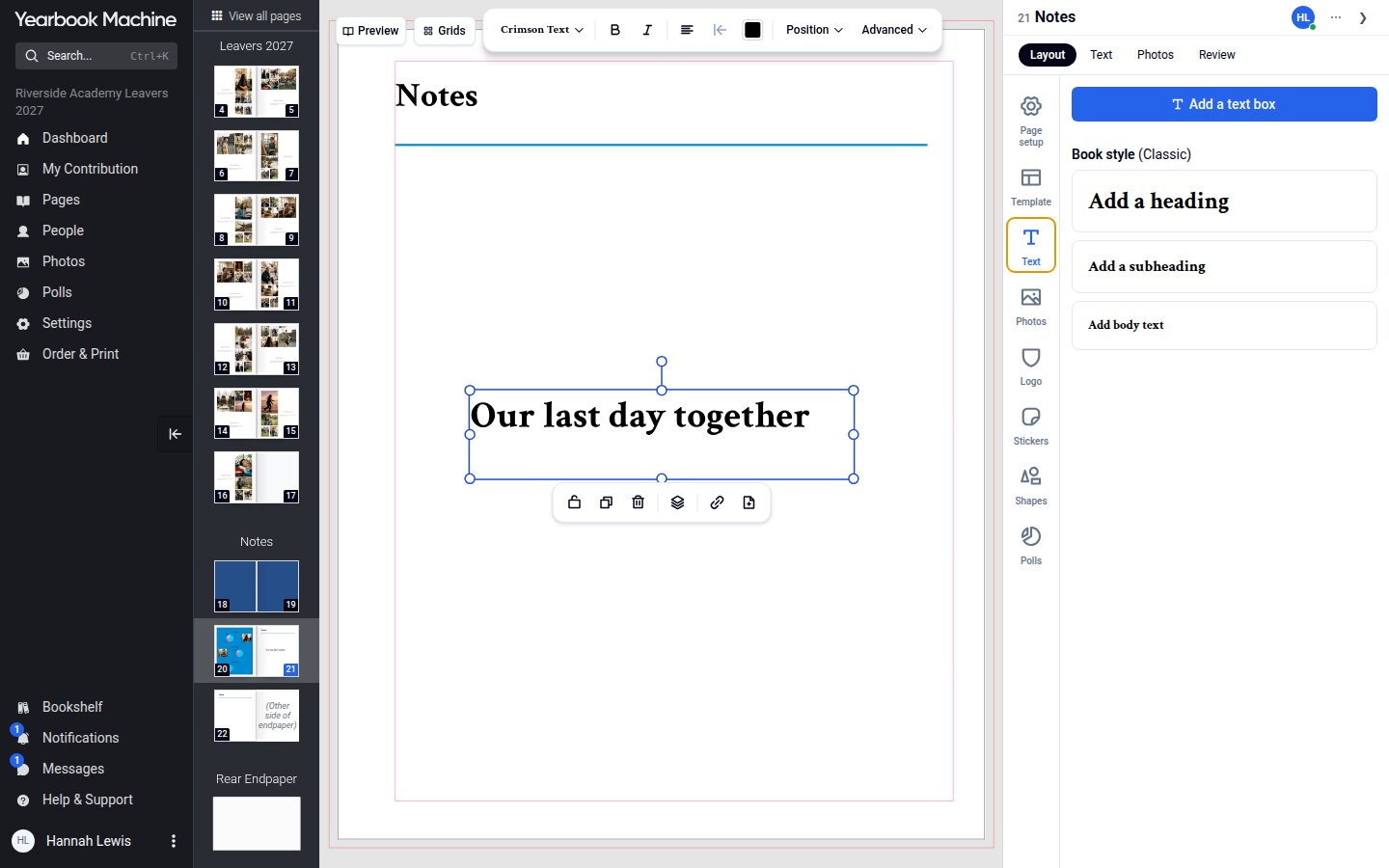
Free design tools
Pages are no longer limited to what the template had. You can add text boxes in around 20 fonts, stickers, shapes, the book's logo in colour, black or white, and ready-made photo frames and photo grids. Anything can be resized, rotated, layered and locked.
Nothing is redesigned afterwards
Because the page on screen is the page that prints, nobody redraws your book after you have finished it. That puts you in control of every detail, so it is worth checking each page carefully before you approve it.
Books started before today keep the classic editor.