
Make your own proof in minutes
There is no more submitting the book and waiting days for a proof. Check your book, generate a proof PDF yourself in minutes, and approve it for print when you are ready.
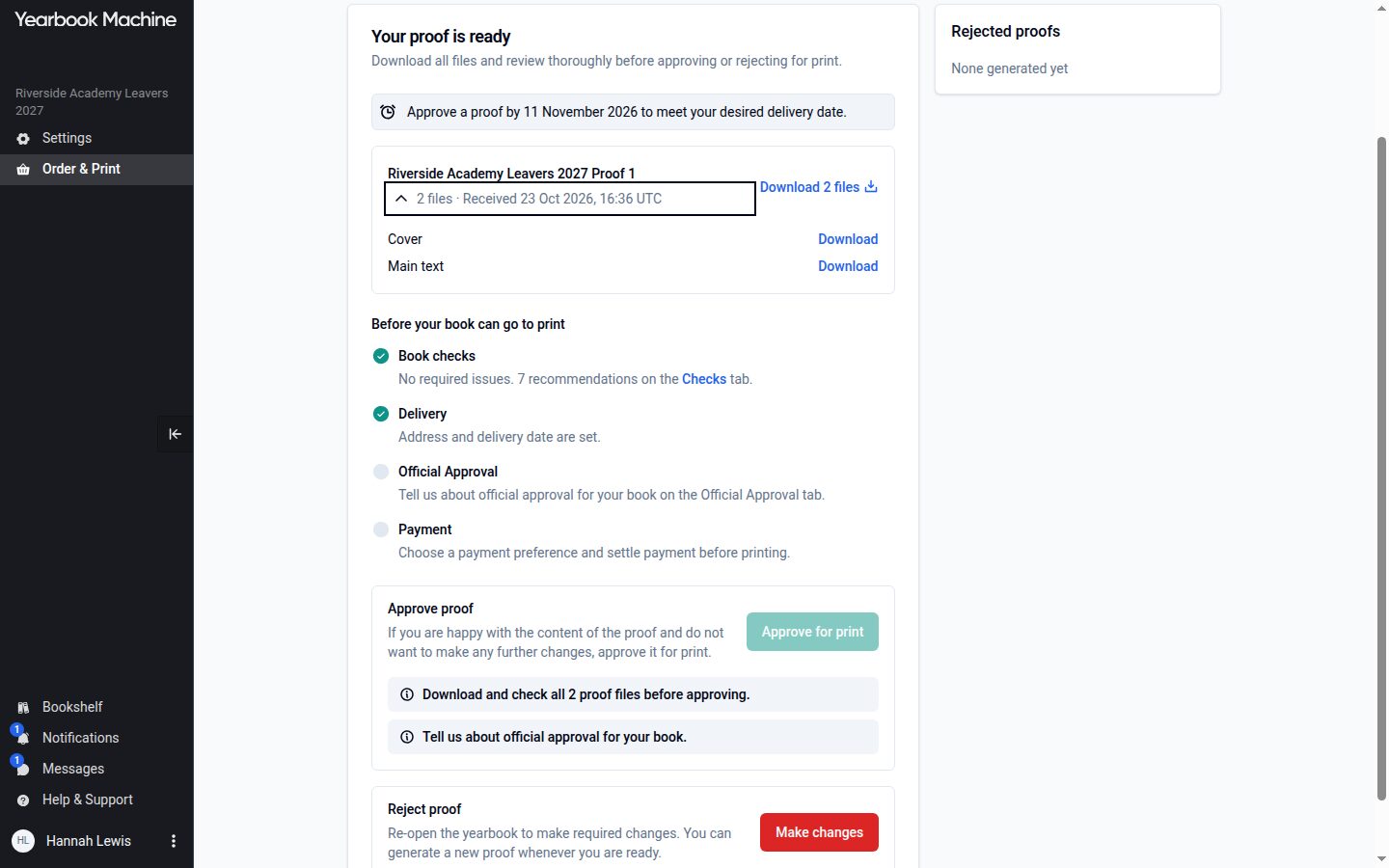
Until now, finishing a yearbook meant submitting it, waiting one to two working days for our studio to make a proof, and starting the wait again if anything needed changing. For books in the new editor, that wait has gone.
Check your book
Each yearbook in Order & Print now has a Checks tab: "What we found when we checked your book." Anything under Required changes must be fixed before the book can be approved for print. Recommendations are optional.
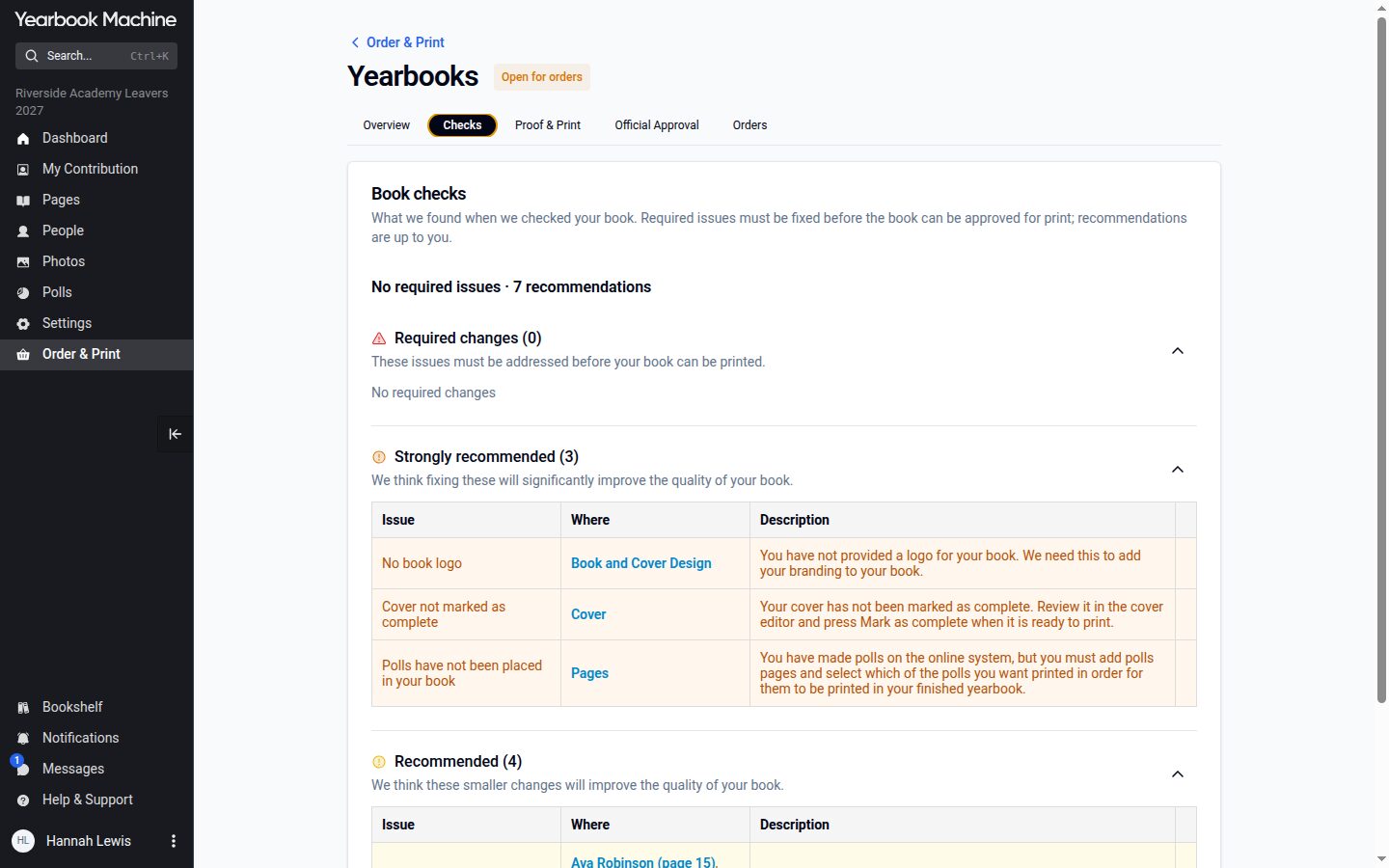
Generate a proof yourself
On the Proof & Print tab, press "Generate proof". The proof is a PDF of your book exactly as it will be printed, cover included, and it is usually ready within minutes. You can leave the page while it is made, and every editor is emailed when it is ready.
The proof is for checking, not printing: it is watermarked and uses lower-resolution images. The print-ready files are made automatically when you send the book to print.
Approve, or make changes
When you are happy, download the proof and press "Approve for print". Before then, the tab shows what still has to be in place: the book checks, the delivery address and date, official approval where it is needed, and payment.
If you spot something, press "Make changes", fix it and generate a new proof. There is no resubmitting, and you can make as many proofs as you need.