
The new People page, and personal invitations
The People page has been rebuilt to show how each contributor is getting on, and invitations can now carry your own message.
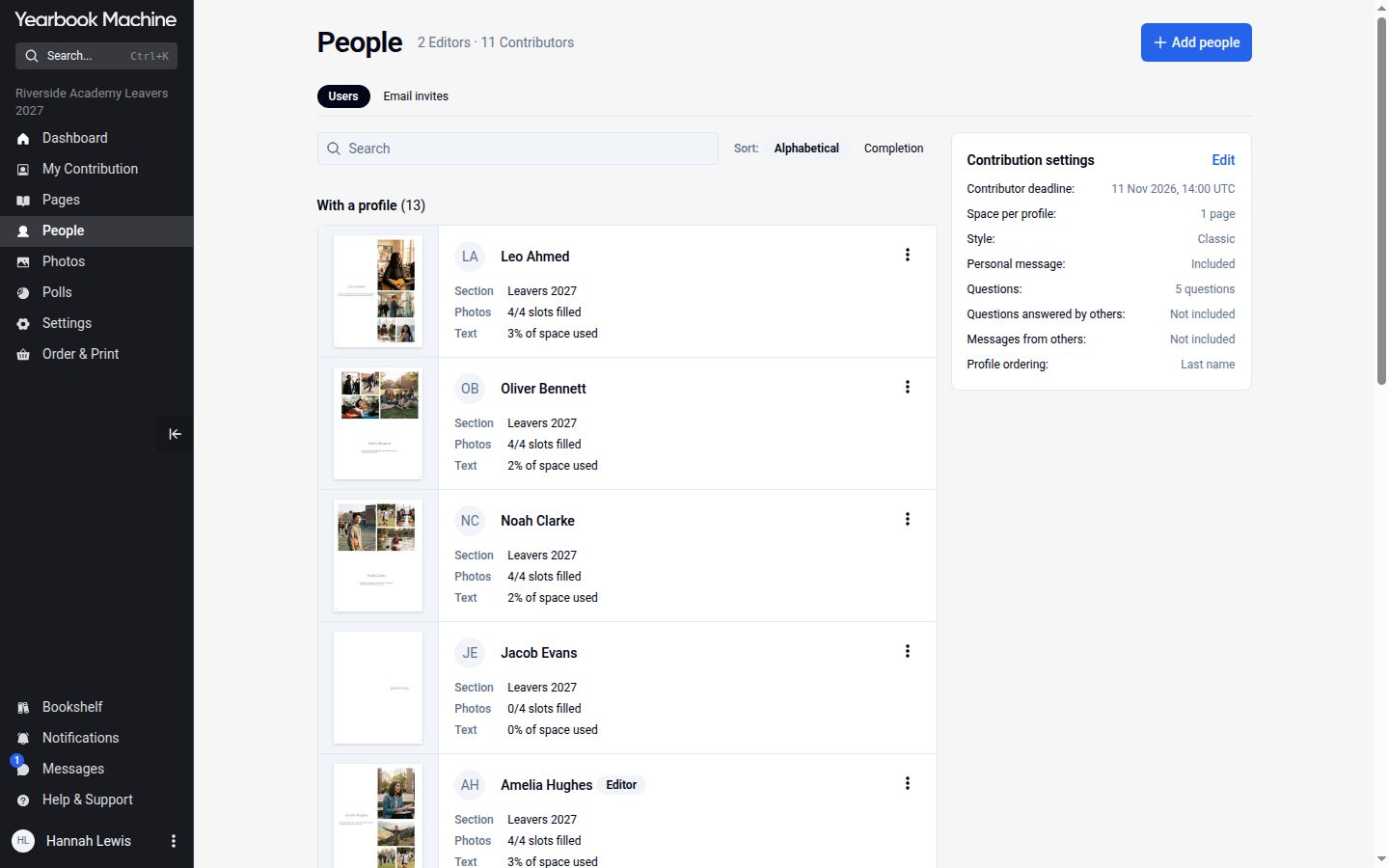
Getting everyone to join and fill in their page is often the hardest part of making a yearbook. The new People page is designed to make that easier to keep track of.
See how everyone is getting on
Each person with a profile now has a card showing their page, their section, how many photo slots they have filled, how much text they have written and whether they have marked their page complete. You can search, and sort alphabetically or by how complete each page is.
People waiting to join are listed under "Awaiting approval", with Approve, Reject and "Approve all".
Everything for each person in one menu
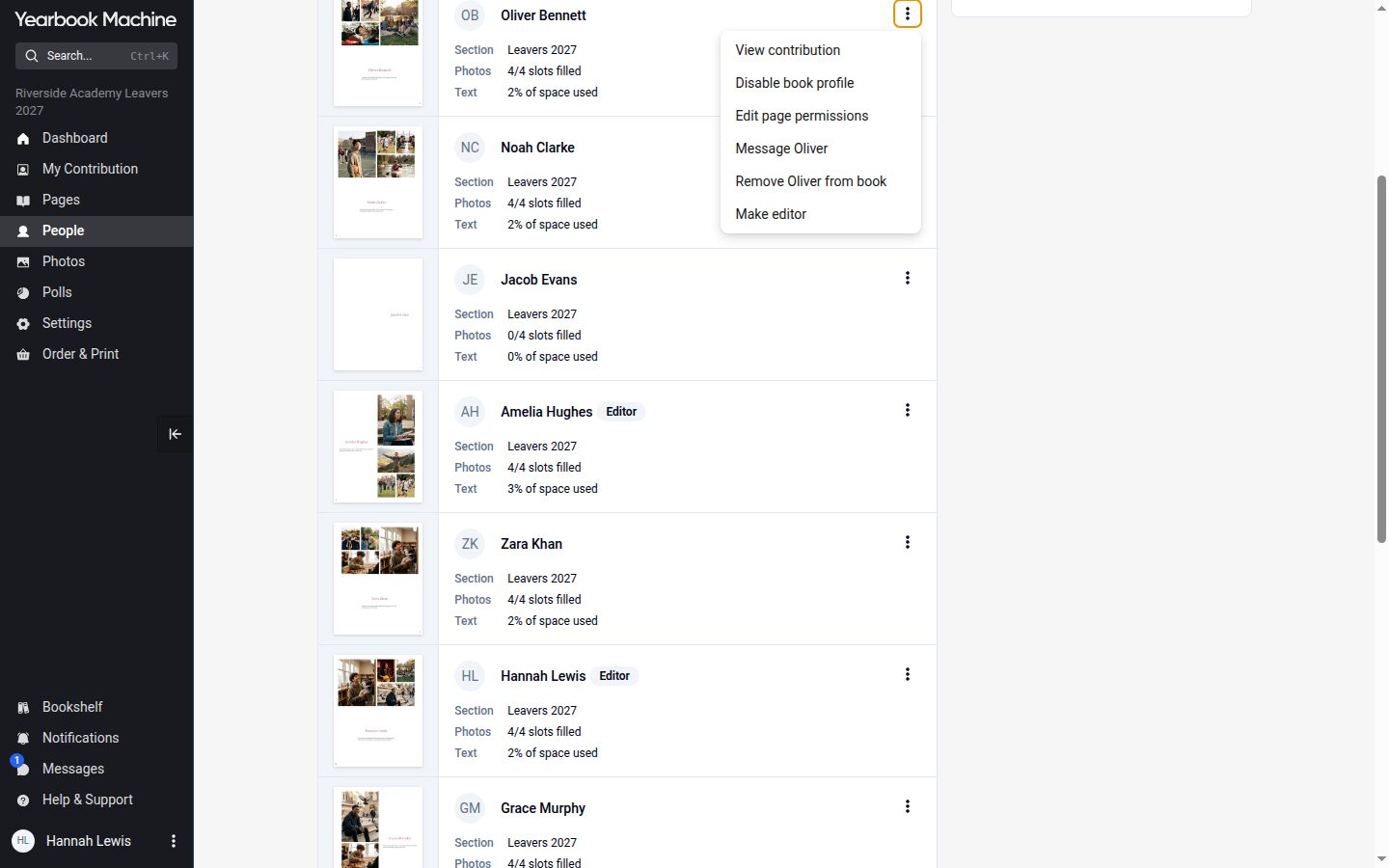
The ⋮ menu beside each person lets editors view their contribution, send them a message, make them an editor, change which pages they can edit or remove them from the book. Removing someone from a book no longer deletes their account.
Personal invitations
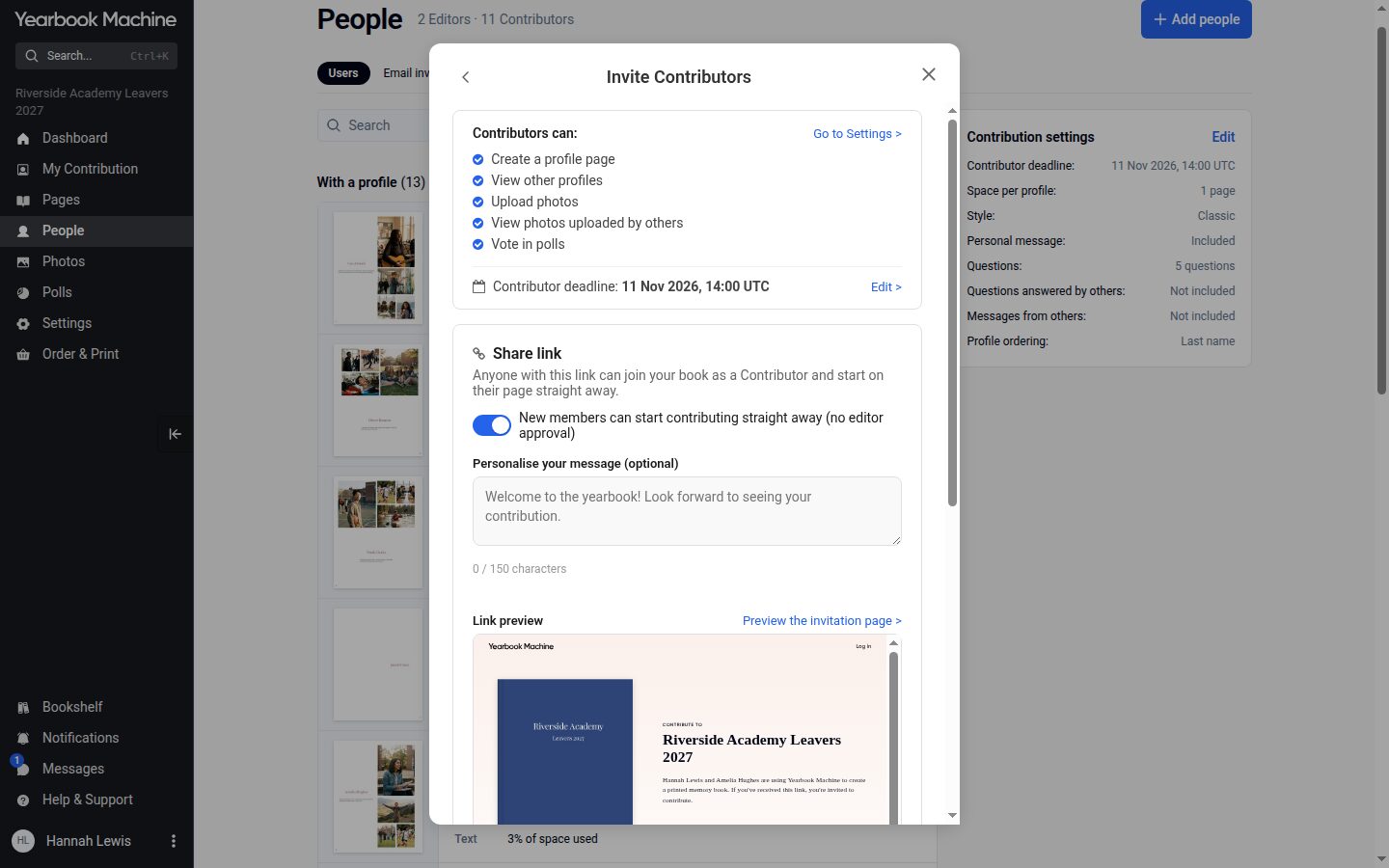
"+ Add people" asks whether you are inviting editors or contributors. You can then write your own message, which appears on the invitation email and on the page people land on when they join, and preview that page exactly as they will see it. People who already have an account can be invited by their username.
Joining with a short link
The link to share is now a short yearbook.com/join address. New members confirm their email address with a six-digit code before their account is made. Editors can choose whether new members start contributing straight away or wait for approval.