
The new Book Dashboard and to-do list
Every book now has a Dashboard with its key dates, recent activity and a to-do list that takes editors from set-up to ordering.
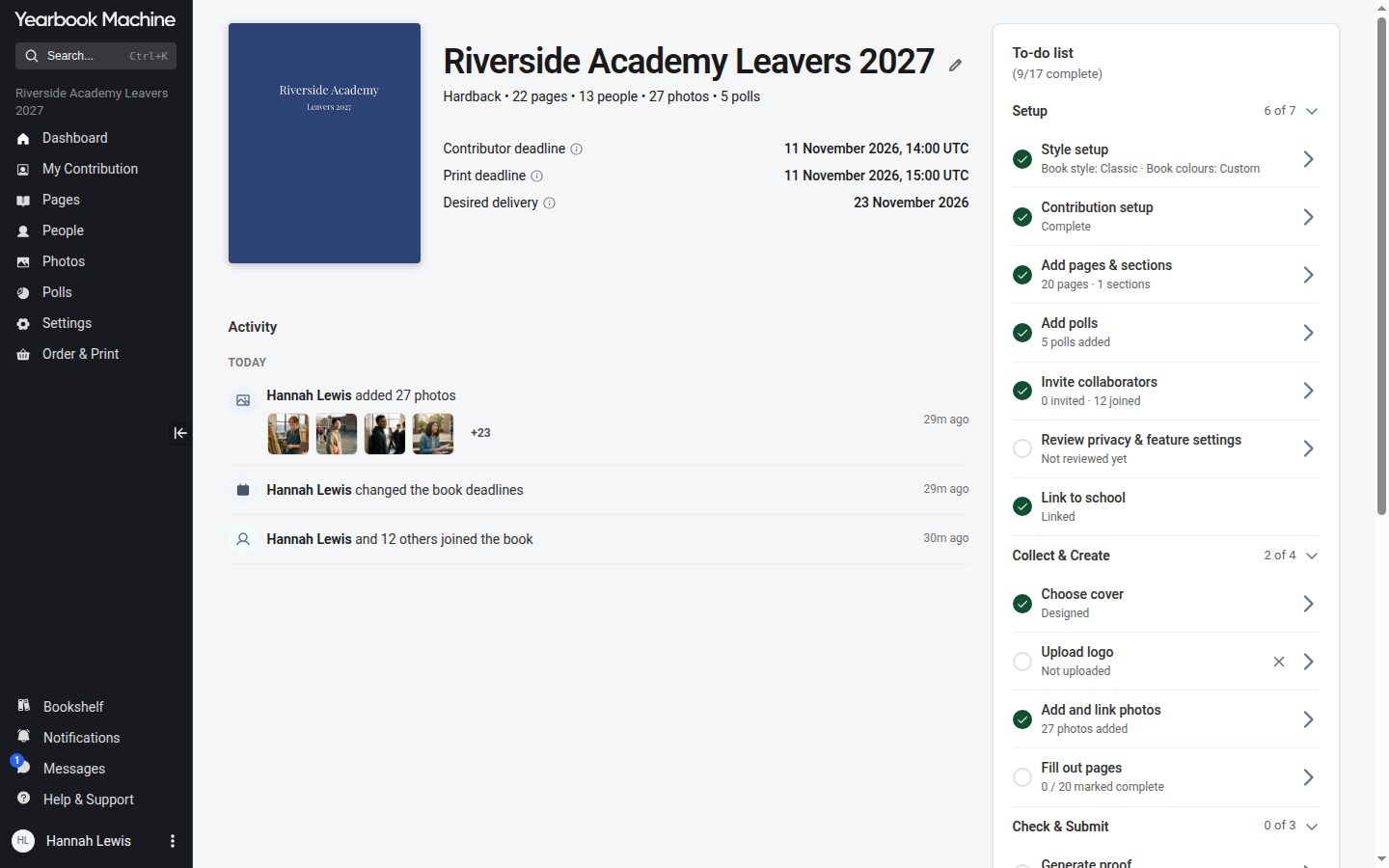
Books used to open on a Welcome page and a What's New page. They now open on a single Dashboard, built around what needs doing next. A brand-new book opens on its Pages screen, with the to-do list beside it.
Your book at a glance
The top of the Dashboard shows the cover and the three dates that matter: the delivery date, the print deadline and the contributor deadline, each with a short explanation. Editors can rename the book from here too. Below that, an activity feed shows what has been happening in the book.
A to-do list from start to finish
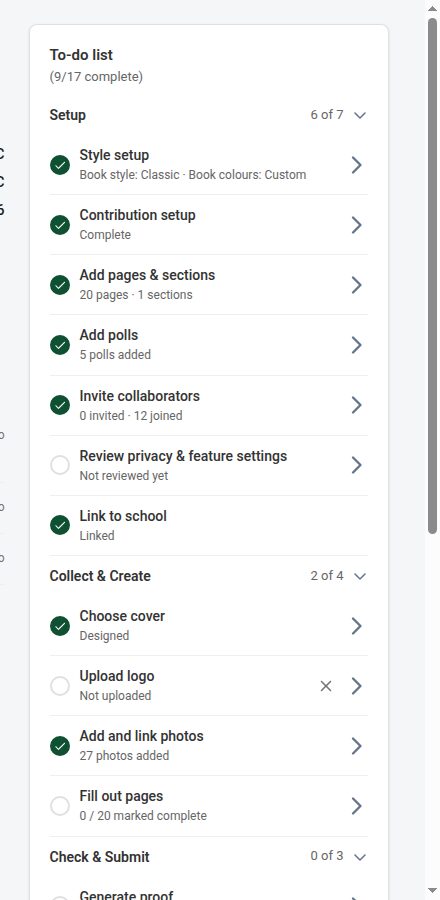
Editors get a to-do list in four groups:
- Setup: the book's style, how contributions work, pages and sections, polls, inviting collaborators and privacy.
- Collect & Create: the cover, the logo, photos and filling out pages.
- Check & Submit: the steps that take the book to print.
- Order: setting up the order and completing payment.
Items tick themselves off as the work is done. Some, such as inviting collaborators, can be skipped if they do not apply to your book.
For contributors
Contributors see a Getting Started card instead of the editors' list. "My Profile" in the side menu is now "My Contribution": everything a contributor is asked to do is in one place.